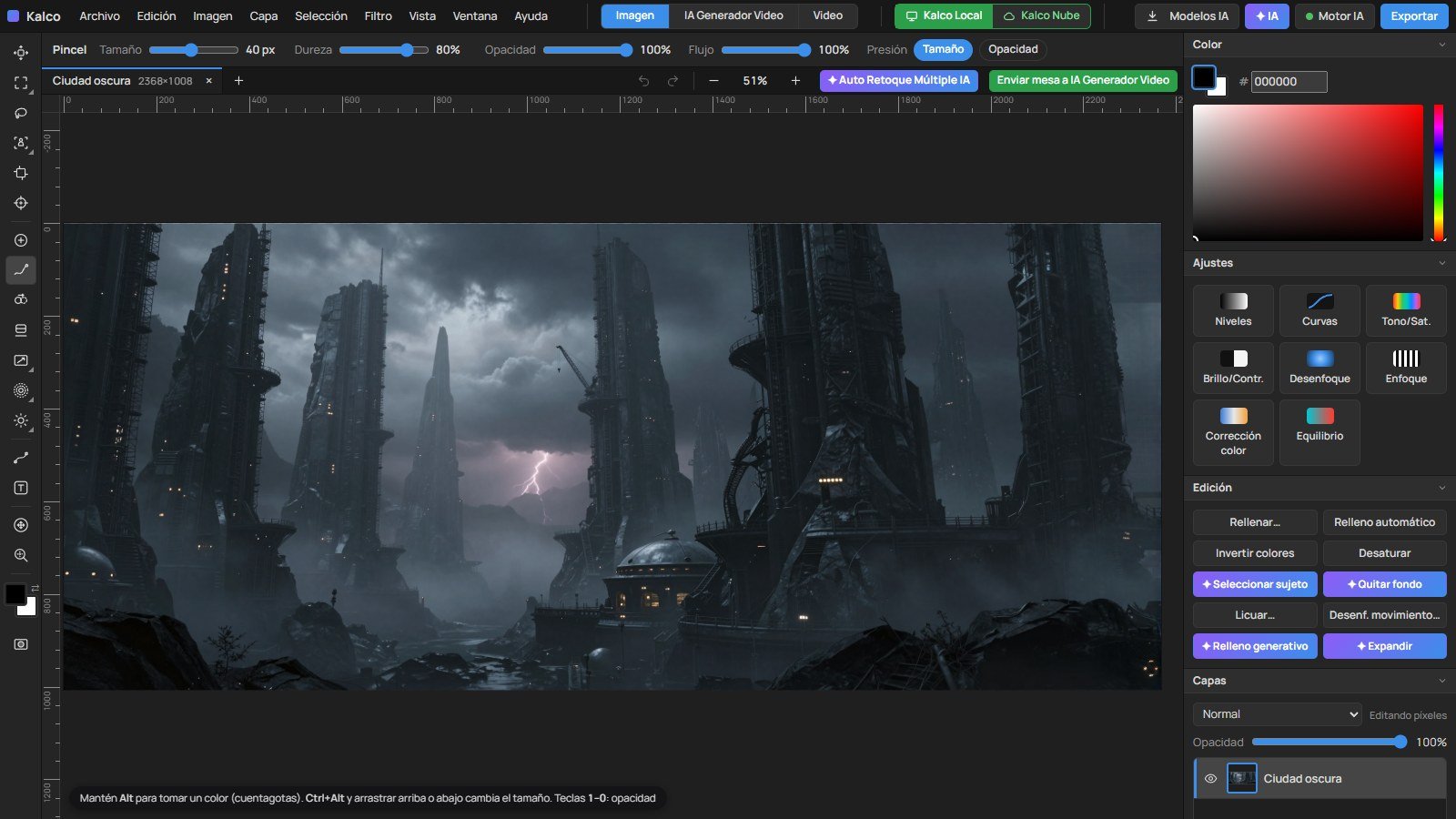
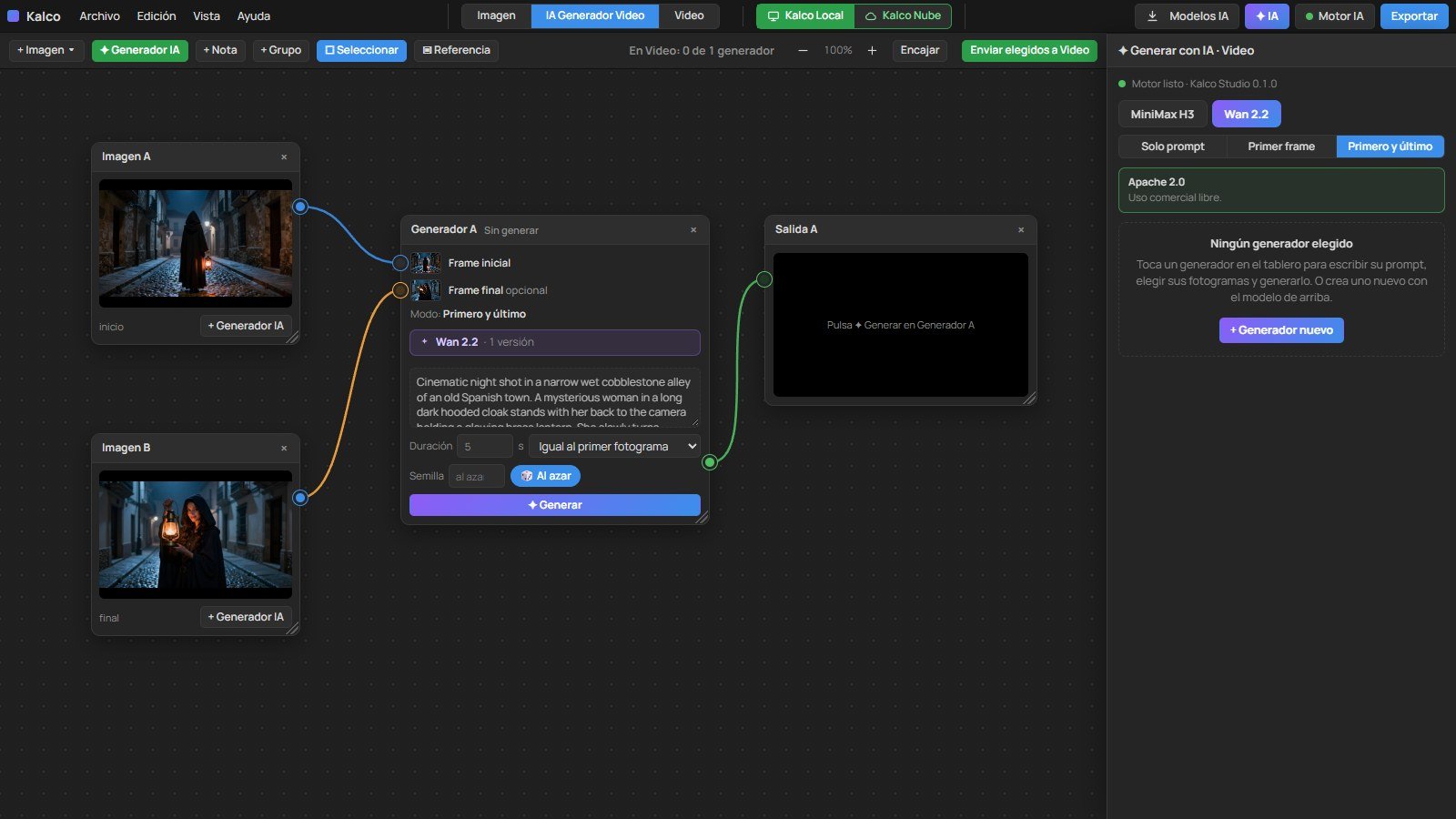
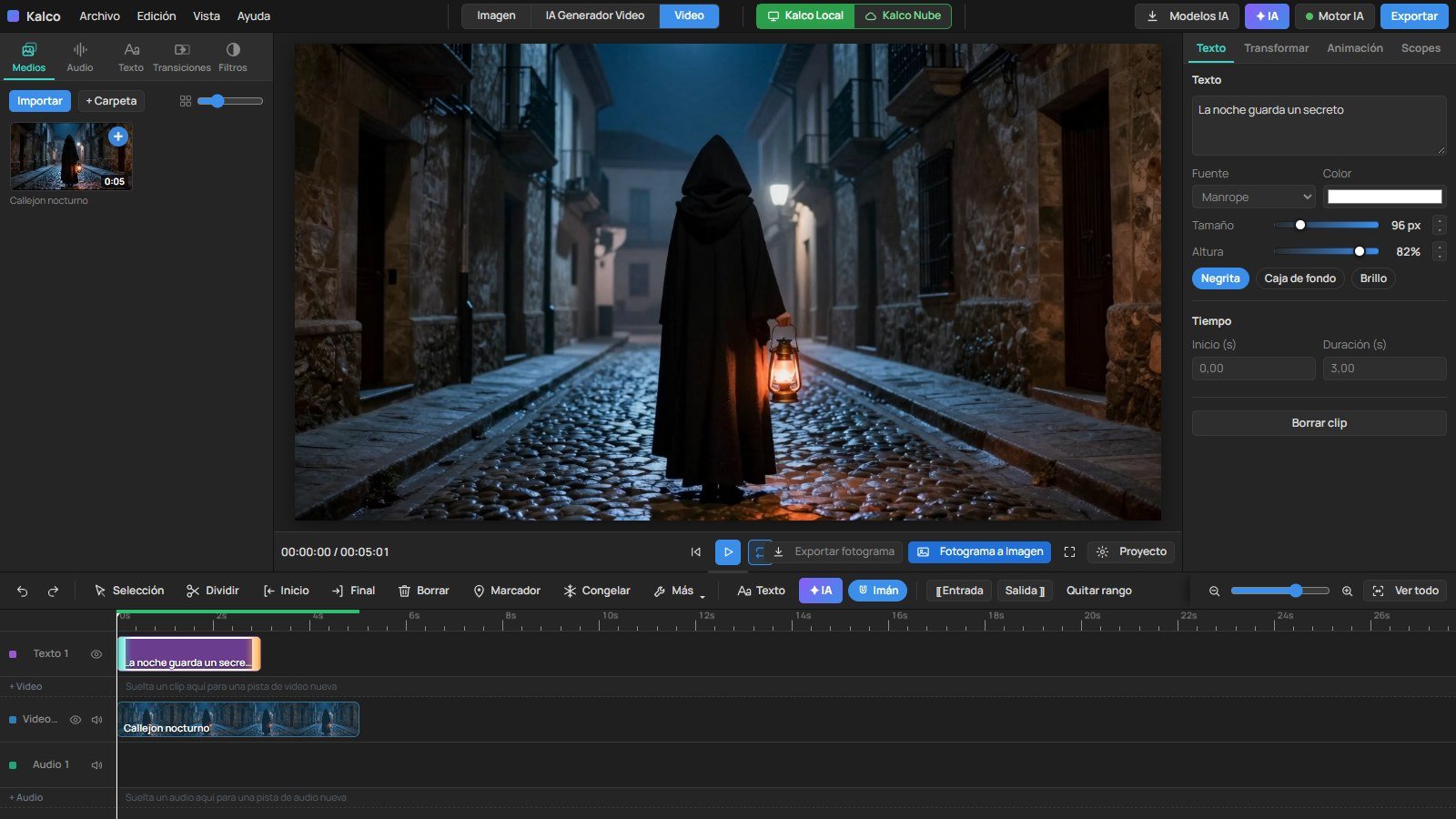
Kalco Studio brings together an image editor, a board for creating video with artificial intelligence and a video editor in a single program. No credits, no queues and no paying for every render.


From retouch to final video in 1:17: a photo, the AI board and the timeline.
What you retouch in Image goes to the AI board, and what you generate lands on the timeline by itself. Tap the dots to see what each part does.

Five things from Kalco Studio you can try right now on this page. The images and the video were made with Kalco Studio.
Levels, Curves, Hue/Saturation, Color correction and much more, with layers and Ctrl+Z at every step. Move the sliders and drag the line.


Connect your image as the first frame, write what happens and Kalco Studio creates the motion. Kalco Studio generated this 5-second video from the photo on the left, on a PC with an NVIDIA card.

Make a photo wider and Kalco Studio fills in the sides following the scene. It also erases objects, removes the background and fills areas from a prompt.

Put in quotes whatever you want to read in the image: a sign, a logo, a title. Kalco Studio creates the image with that text.


Kalco Studio listens to the voice or the song and puts every word at its moment. Pick a style, fix a line with a double click and drag it in the viewer.
Simulated preview on the web; in Kalco Studio the timing comes from your audio.
Kalco Studio doesn't fill your disk all at once. Every AI feature has its ⬇ button showing its size, and you download it when you need it. Choose and see how much space it would take.
Models that share files are counted only once. Downloads can be paused and resume where they left off.
Every model shows its license inside Kalco Studio. Almost all allow free commercial use; the one with conditions tells you before you use it.
| Model | What for | License | Commercial use |
|---|---|---|---|
| Z-Image Turbo | Create images, Generative fill, Expand | Apache 2.0 | Free |
| Flux 2 Klein 4B | Create images | Apache 2.0 | Free |
| Qwen Edit | Edit a photo with words | Apache 2.0 | Free |
| Wan 2.2 | Video from a prompt, an image or first and last frame | Apache 2.0 | Free |
| MiniMax H3 | Advanced video | MiniMax's own license | With conditions |
| BiRefNet, LaMa, Depth Anything | Remove background, remove objects, background blur | MIT and Apache 2.0 | Free |
| Florence-2, Qwen2.5, Whisper | Improve prompt and subtitles | MIT and Apache 2.0 | Free |
The editors run on almost any Windows PC. The AI needs an NVIDIA card.
| To use | Minimum | Recommended |
|---|---|---|
| Image and video editors | 64-bit Windows 10/11, 8 GB of RAM | 16 GB of RAM |
| Image AI, fill and blend | NVIDIA with 8 GB of VRAM, driver 580 or newer | 12 GB of VRAM and 16 GB of RAM |
| Video AI (Wan 2.2) | NVIDIA with 8 GB of VRAM | 12 GB of VRAM and 16 GB of RAM |
| Advanced video AI (MiniMax H3) | NVIDIA with 16 GB of VRAM | 24 GB of VRAM and 32 GB of RAM |
| Disk | 10 GB (editors only) · about 35 GB with image AI | 100 GB (all features) |
Educational licenses to learn design, photography and AI video on the computer itself: no cloud credits, no uploading students' photos, and it works offline once installed.
Personal license at an educational price.
To prepare and teach your classes.
Schools, institutes and universities.
An agreement tailored to your institution.
Educational licenses are for learning and teaching. For commercial work, use the regular Kalco Studio license.
Join the waitlist: we'll let you know on launch day with the founder price, only for the list.
Only to install it, activate your license and download the AI models you choose. After that, the AI works on your PC and your files aren't uploaded anywhere.
For the AI, an NVIDIA card with at least 8 GB of VRAM and driver 580 or newer. Kalco Studio checks this during installation and tells you if something needs updating. The image and video editors work without an NVIDIA card.
The program and the engine take about 4.3 GB. Each AI feature is downloaded separately and shows its size before downloading: you can start with only what you use and add more later.
Yes, with the Apache 2.0 or MIT licensed models, which are almost all of them. MiniMax H3 has its own license with conditions; Kalco Studio shows it to you before you use it.
Kalco Studio is activated with one license per computer. Price and terms will be announced at launch; the waitlist gets the founder price.
Yes. Kalco Studio can be used in English or Spanish; switch it in View → Language.
For now Kalco Studio is for 64-bit Windows 10 and 11.